How I edit my Instagram photos
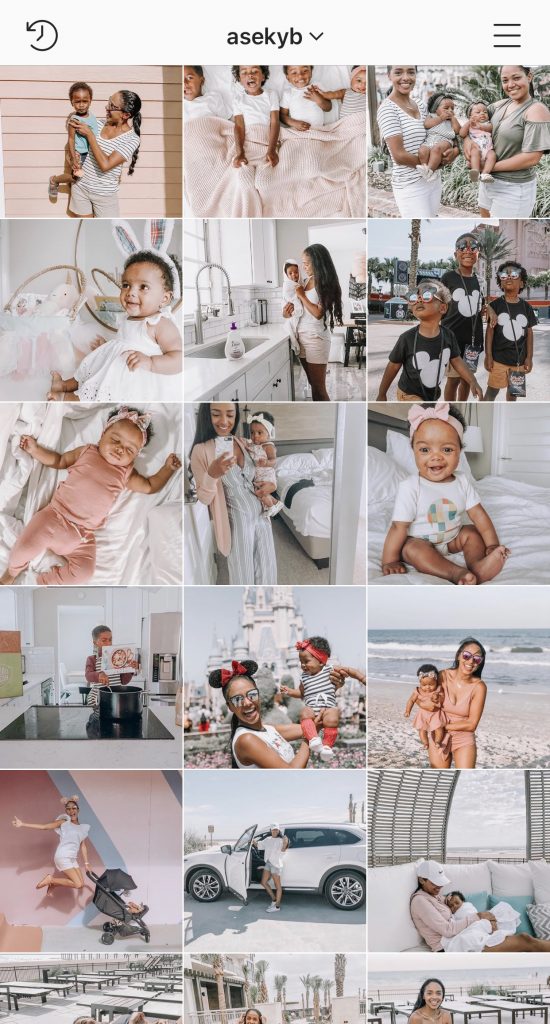
The beautiful cohesive feed. Some love it. Some hate. For me, I love it.
For years I played around with only VSCO filters, I lived for that A6 life. If you’ve used it, you know what I mean lol.
But it wasn’t until this past year I really started using Mobile Lightroom. I had it on my phone but never knew how to get my photos perfect, with an overall cohesive feed that I really liked. This past Christmas, an instagrammer that I’ve been following named Allie for like ever had a sale on all her winter presets! She was charging like $5, so I thought now is the time to try one of her presets! She had a beautiful feed, and all her photos were on point.
My only concern (as a woman of color) with buying presets (from a Caucasian woman) is that it would make me look too orange, or make me look way too dark– nothing wrong with dark, because black is beautiful. But I just didn’t want to invest into a preset that would play too much with my skin tone. But for $5? Why not? I’ve had nasty coffee from Starbucks for more than that. But I SWEAR by her presets. It keeps my skin tone as beautiful as it is in real life (totally not trying to toot my horn lol).
To shop all of her presets, CLICK HERE
- And if you need help using lightroom, at the very end of this post (scroll to the bottom) I give step by step instructions on how to use your presets!!
- And also at the very very bottom, I share what app I use to make my feed cohesive!
ENCHANTING
The first preset I ever bought was from her was “Enchanting”. It made reds pop–perfect for Christmas time, and I loved how my skin looked. I used this preset for about 3 months and that’s when people began messaging me asking about my filters, what I use to edit, etc.


DAFFODIL
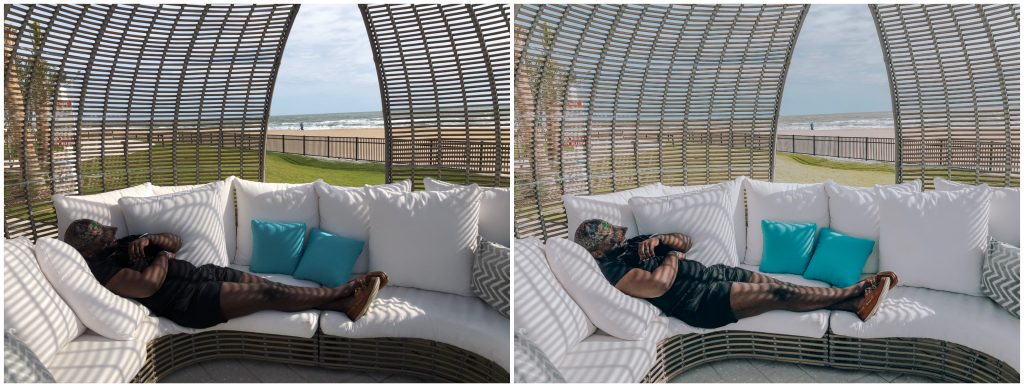
This one is a lot of fun! It gives me lots of summer vibes. I personally don’t use this one because it’s not my style. But if you’re into warm and bright, I recommend this one.




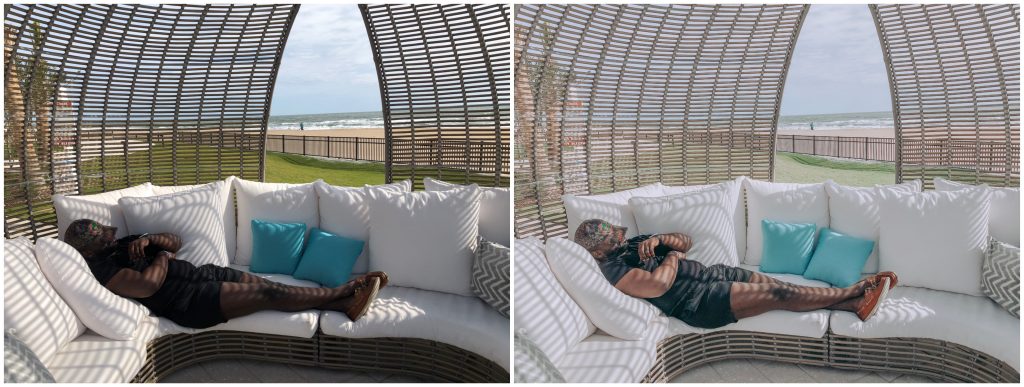
LINEN FRESH
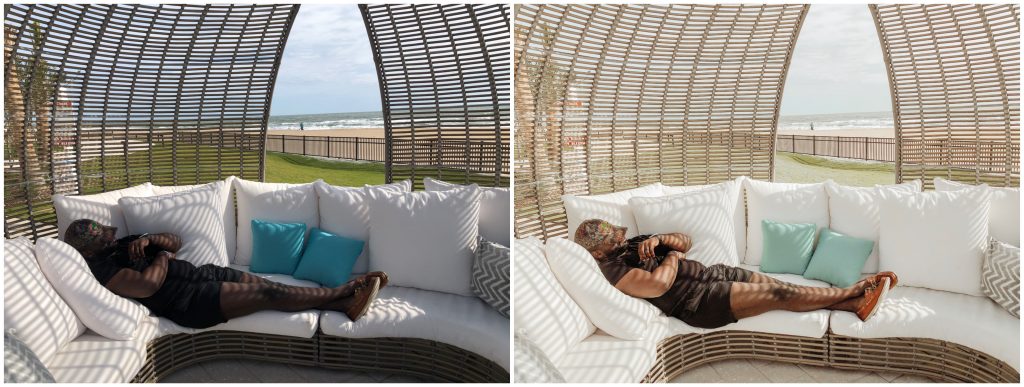
This preset is perfect if you want to keep the true colors of your photo but just brighten and enhance it! This is what I use to edit my blog photos!


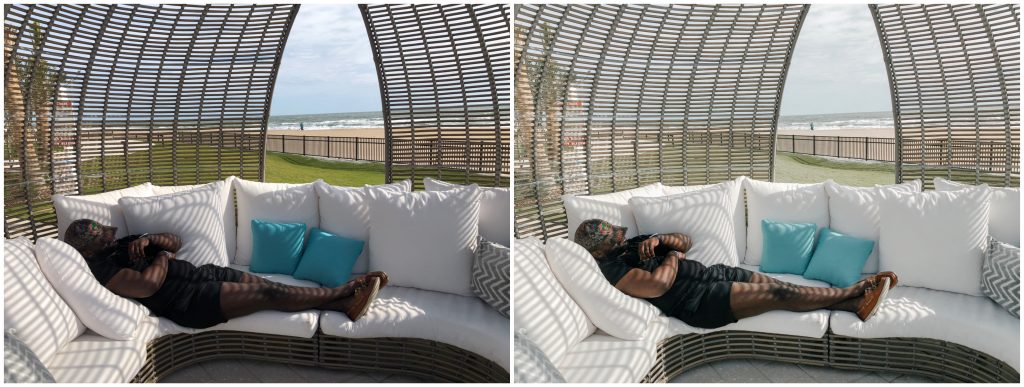

PEONY
My absolute favorite! This is what I’ve been using for the last month now. I looooove how it gives a nice pink tint to my photos, and it keeps my feed girly. I do tweak it tad to make my skin tone more vibrant because it dulls my skin tone a bit. But these photos I’m sharing below are without any additional edits.


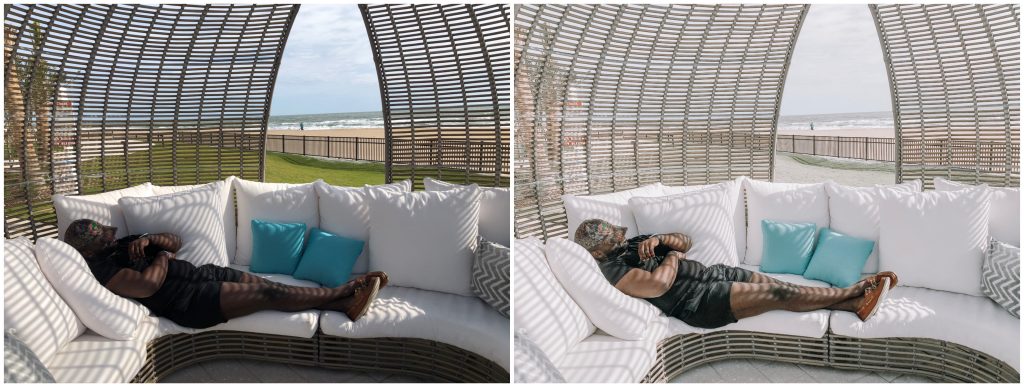

TULIP
This preset reminds me a lot of enchanting, but it doesn’t enhance the greens nor the reds so much. It’s perfect if you love enchanting but don’t want too much of a Christmas vibe to your photos!



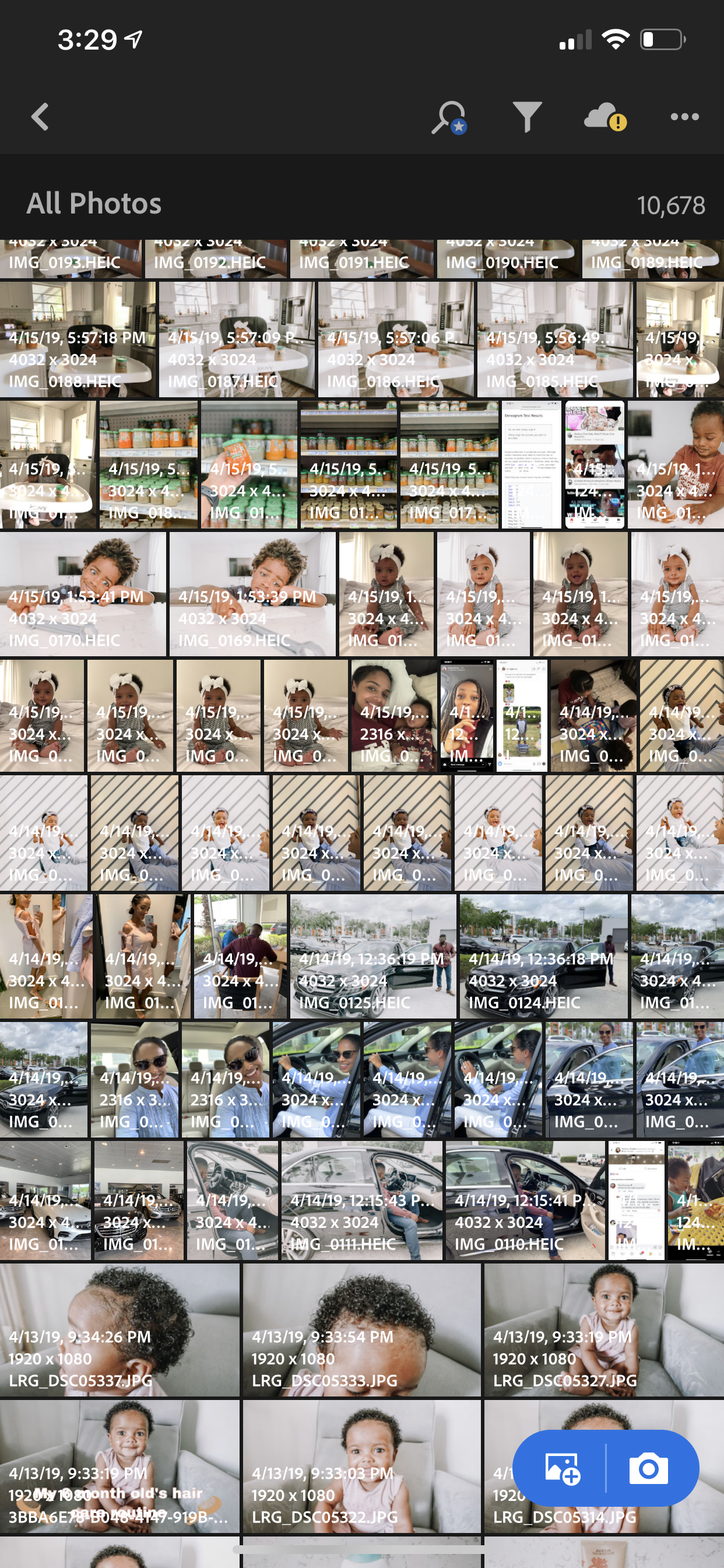
How to use Lightroom CC:
Make sure you download the free app in your phone’s marketplace! Once downloaded, you will need to purchase your presets. When you purchase presets from @AllieMBoss she includes step by step instructions on how to save the presets to your phone!

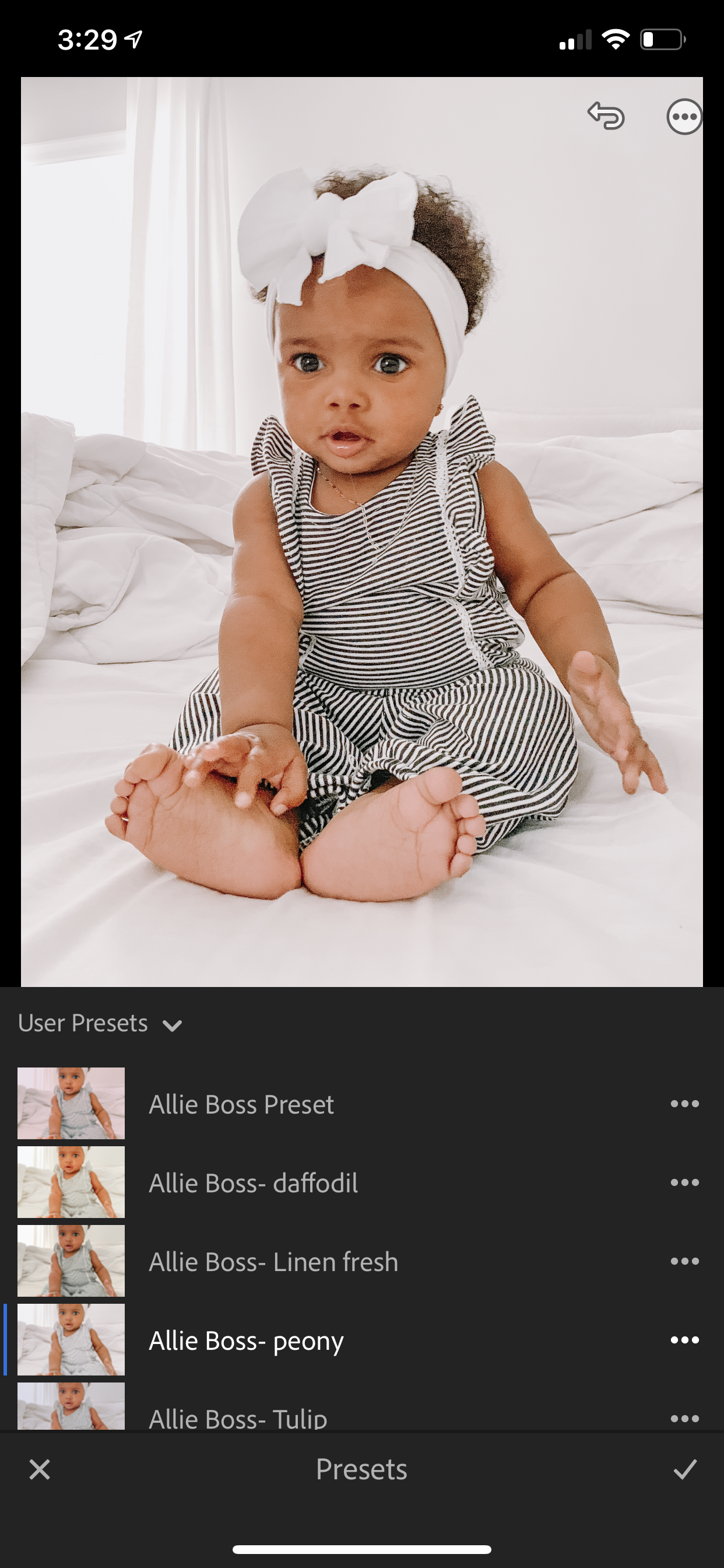
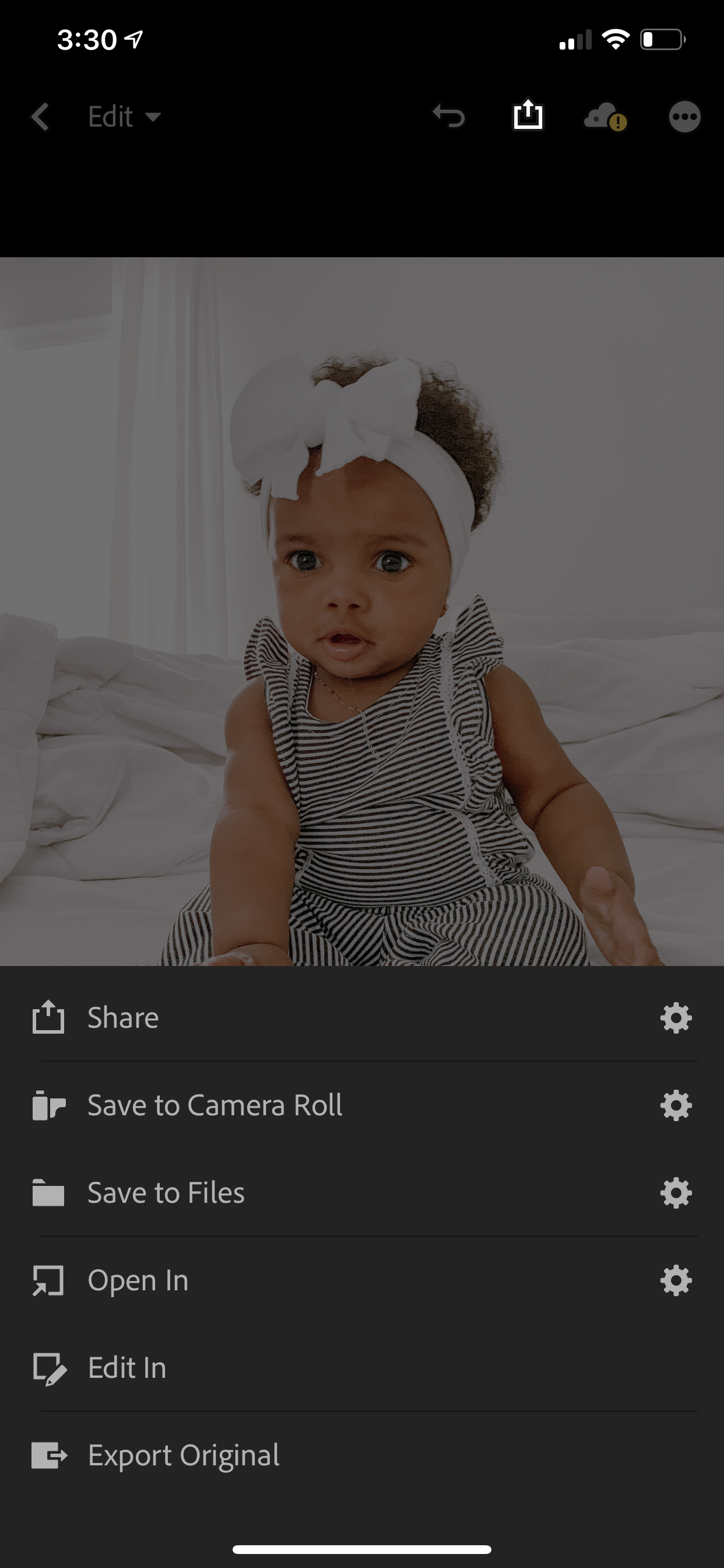
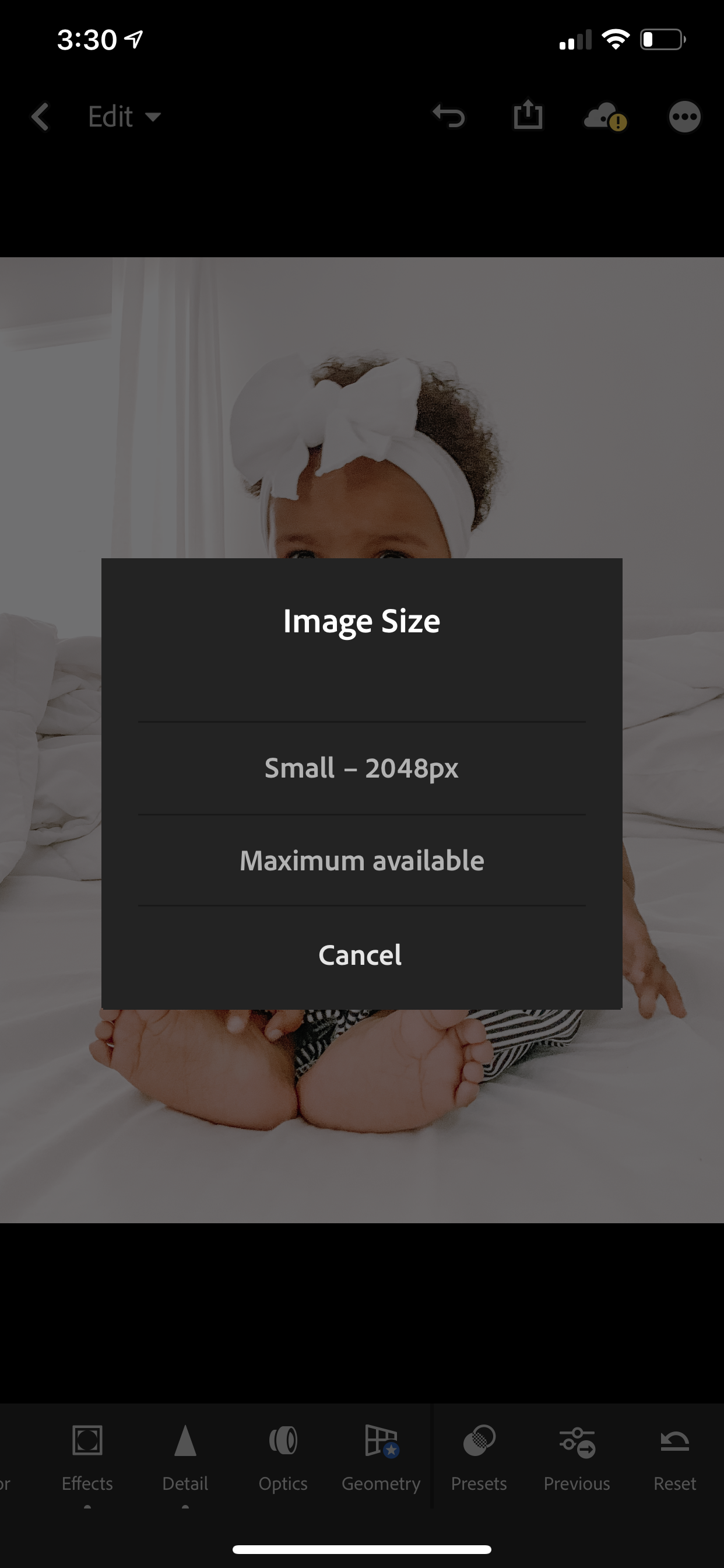

How to make sure your feed is cohesive
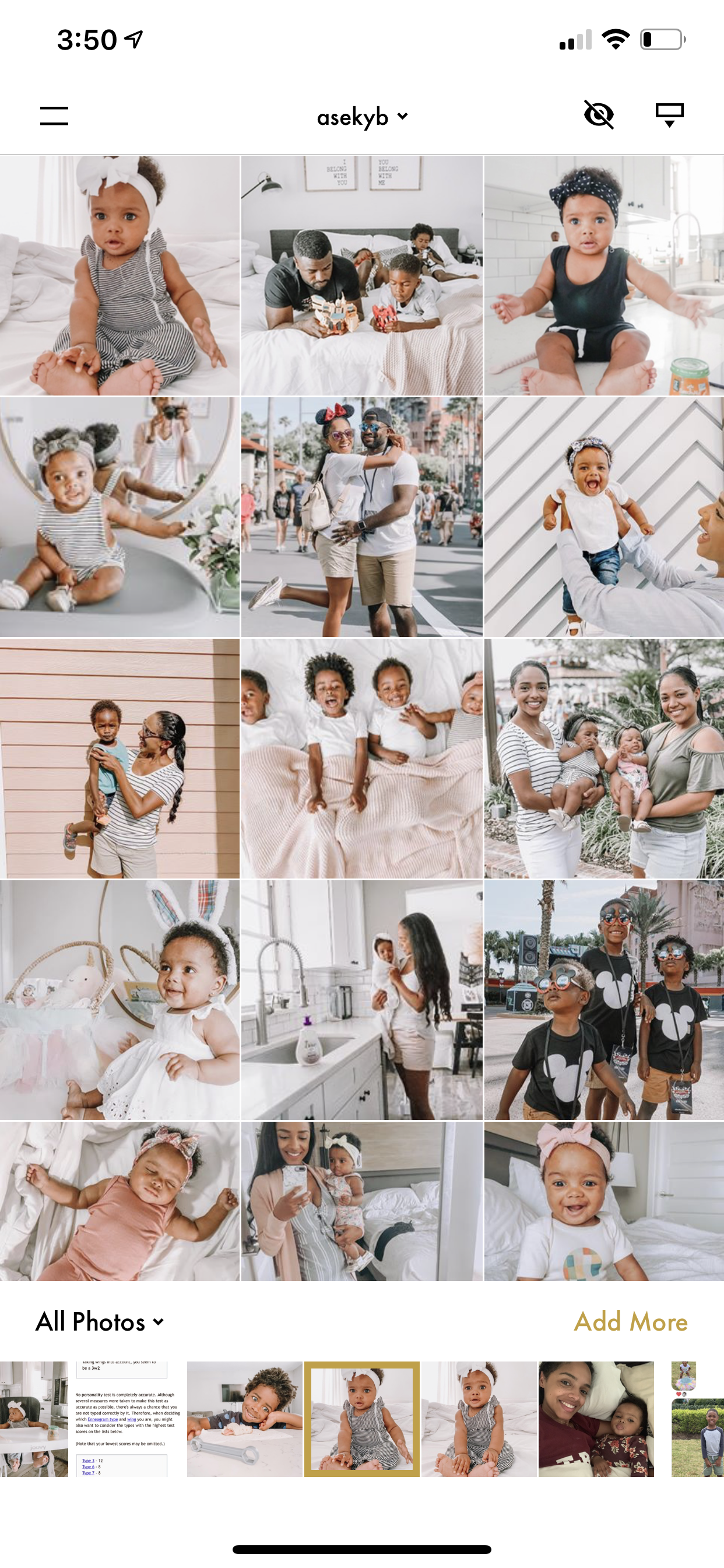
So I typically don’t care what photo I post because I post what I want, and by using the preset, it’s all pretty much cohesive regardless. But if you were wanting to preview your feed with a particular photo BEFORE posting, use the “Inpreview” app! It’s free, but be careful, they’ll spam ya with a ton of ads to get you buy the full version LOL.
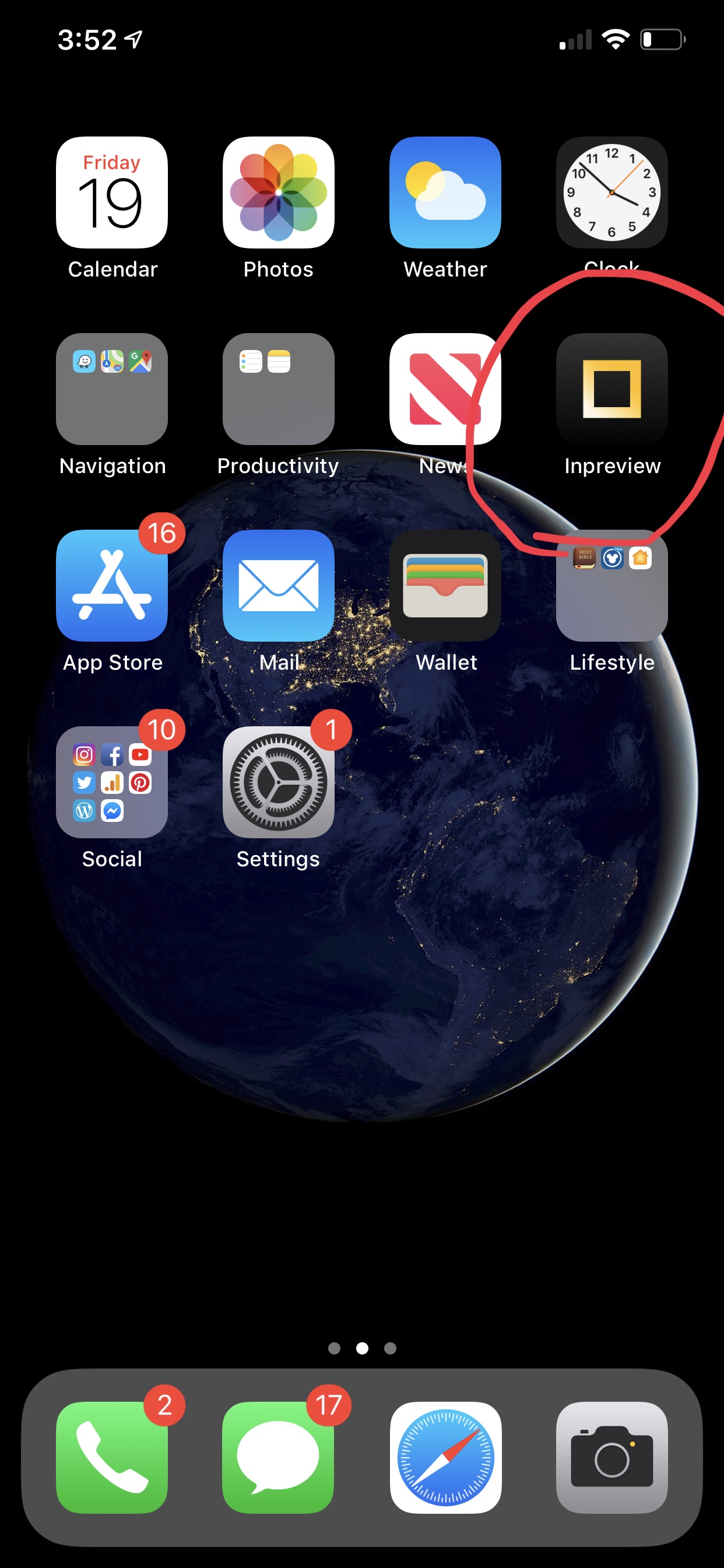
Phew! That was a lot to share, but I had to make sure I’m thorough! If you have any questions please feel free to comment below, or DM me on Instagram! If you loved this post, please pin it to your pinterest board!